Digital cards for teams

Your card lives in a phone
and keeps itself current

Change your job title and it changes for everyone who saved you. Nothing to reprint, nobody to ask for an update.

Try it right now — edit the fields and watch the card
In sync
John Smith
Head of Partnerships
Warm Intro
Save contact
Exchange
Warm Intro
Name
John Smith
Job title
Head of Partnerships
Phone
+44 20 7946 0000
Updated just now
Warm Intro
John Smith
Head of Partnerships
Emailjohn.smith@example.com
Phone+44 20 7946 0000
Changes reach every saved device in seconds
Data is stored in the EU, Germany
GDPR and a signed DPA
Sign in with Microsoft Entra ID
No third-party trackers
Two ways to start

For yourself — one minute.
For a company — one evening.

A personal card

Sign up with an email or with Google, and the card is already in your wallet.

  • A pass in Apple Wallet and Google Wallet
  • A QR code, and the contact saved in one tap
  • An address of your own, like /john-smith
  • Views and clicks, counted
Start free

Cards for a company

Connect Microsoft Entra ID and every employee gets a card automatically.

  • No passwords; the job title comes from the directory
  • One brand template, fields the admin keeps
  • A new joiner has a card on day one
  • Offboarded in Entra — the card and the pass switch themselves off
Soon
Three steps

From signing up to being in someone else’s phone

Create

Fill in the card

Name, job title, contacts, links. Companies get the fields already filled from Entra ID.

Save

Add it to a wallet

One tap and the pass is in Apple Wallet or Google Wallet. It works with no signal at the event.

Share

Show the QR code

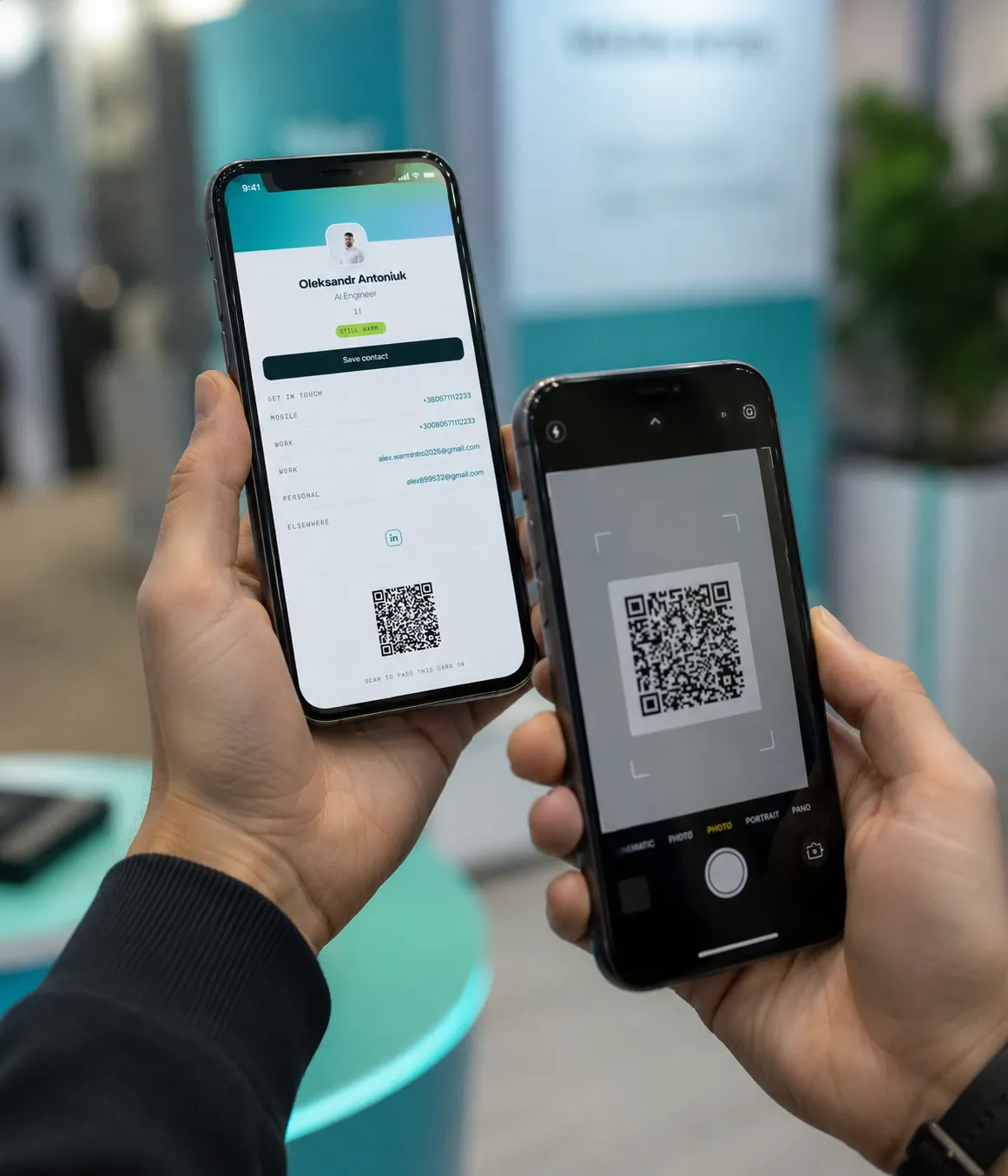
They scan it with the camera and save the contact. Nothing to install on their side.

What happens after a change

A paper card cannot be updated. This one is updated for you.

The admin changes a job title in the dashboard, and everything after that happens without people.
Job title changed in the dashboardor synced from Entra ID
The public page is currenteveryone who opens the link sees the new details
Passes in wallets updatedApple and Google took the new version — 12 devices
Two phones side by side: one shows a card with its QR code, the other is scanning it.
Features

Everything you need, in reach

Nothing crowded. The complicated things live in settings; the daily ones are on the first screen.

A pass in the wallet

Apple Wallet and Google Wallet. Works offline and updates itself.

QR and NFC

Scan with a camera or tap a tag. The other person installs nothing.

Several languages on one card

Job title in English, German, Ukrainian. The reader sees theirs.

Numbers

Views, scans, clicks on links. No third-party trackers and no cookies.

Employee directory

An internal page with the whole team’s cards and search by department.

Access control

Roles, brand templates, an audit log. A leaver’s card goes dark on its own.

Pricing

Plain prices, in euros

Paying yearly costs about a fifth less.

Warm
€0forever

To see how it works.

  • 1 card
  • A wallet pass and a QR code
  • 30 days of numbers
Start
Most popular
Warmer
€4/ month

For freelancers and small business owners.

  • 3 cards, without our footer
  • Your own address and contact capture
  • Two languages on the card
  • An email signature
Soon
Team
€6/ person

For teams of three and up.

  • Sign in with Microsoft Entra ID
  • Brand templates and roles
  • Employee directory
  • Five languages on the card
Soon
Business
€9/ person

For organisations from 25 people.

  • Cards created and switched off automatically
  • Your own domain and white label
  • API, webhooks, CRM integrations
  • Audit log and a DPA
Soon

Enterprise

A separate storage region, SAML and Okta, an availability guarantee, help with the rollout, and payment by invoice.

Soon
Ready to start?

Your first card takes a minute

No card details, no app to install. A company can be connected later, and the card stays yours.